2. Hardware Description
2.1. System Overview
The us4R-lite™ system is an ultrasound research device designed for transmission and acquisition of ultrasound signals using connected piezoceramic probes/transducers (use with pMUT/cMUT is feasible but may require a dedicated circuitry – please consult us4us).
The us4R-lite™ is a peripheral device, so in addition to an ultrasound probe, it always requires an external Host PC to work.
The us4R-lite™ is connected using a Thunderbolt-3 (Fig. 2.1) or PCIe cable (Fig. 5.1) to a PC/notebook running ARRUS™ SDK. An open-source ARRUS™ SDK (Software Development Kit) is provided to be installed and run on the host PC to execute User’s applications/scripting for device configuration, data acquisition, and custom processing.
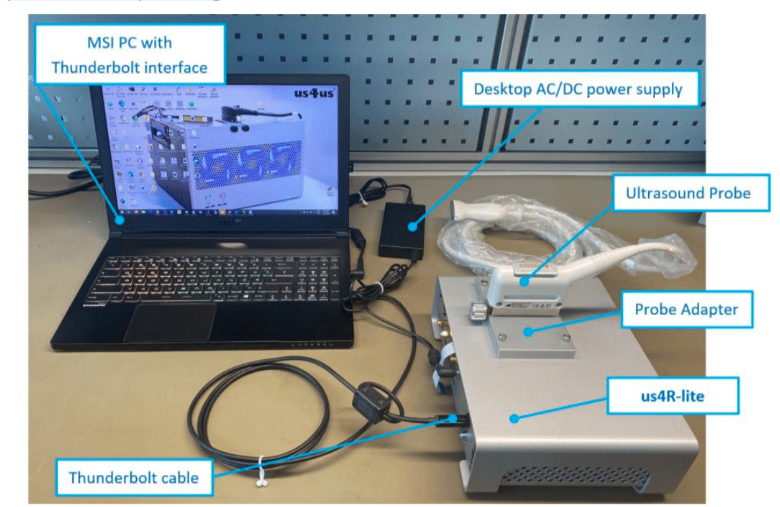
Fig. 2.1 Peripheral mode with external Host PC connected through Thunderbolt, us4R-lite™, Model: RL-2020 (EOL)
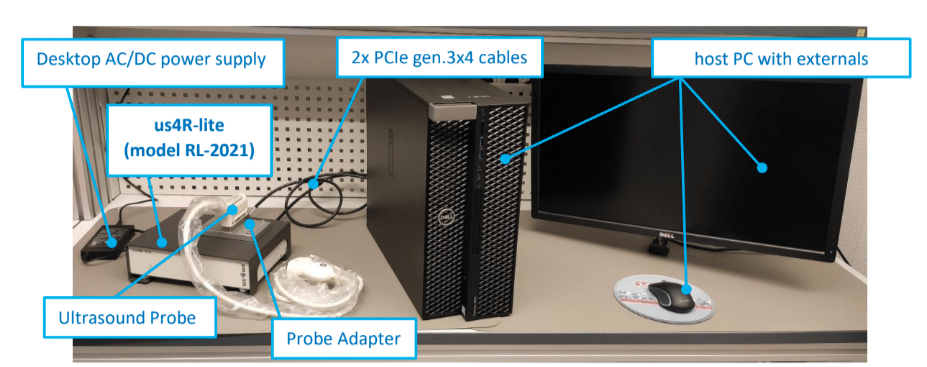
Fig. 2.2 Peripheral mode with external Host PC connected through PCIe, us4R-lite™, Model: RL-2021
2.2. Hardware Models
The table below summarizes all hardware models of the us4R-lite™:
Model |
Options |
External Interface |
|---|---|---|
RL_2020 (EOL) |
+GPU (NO LONGER SUPPORTED) |
Thunderbolt 3 |
RL_2021 (OBSOLETE) |
none |
PCIe (2x gen3 4 lanes) |
RL-2024-PCIe |
+HF |
PCIe (2x gen3 4 lanes) |
2.3. Ultrasound Probe Adapters
Us4R-lite™ research system features changeable ultrasound probe adapter. Depends on connector type, we offer the following adapters:
Part Number Scheme |
Connector |
Specific pinout |
Rev |
Supported Probes |
List of tested probes |
|---|---|---|---|---|---|
QLC-260-1-EPA |
QLC-260 |
EPA |
3.0 |
ESAOTE compatible |
|
QLC-260-1-DRAM |
QLC-260 |
DRAM |
0.1 |
Draminski compatible |
|
DL1-156-1-PAU |
DL1-156 |
PAU |
1.0 |
ULTRASONIX compatible |
|
DL5-260-1-VPA |
DL5-260 |
VPA |
1.0 |
ATL / Philips compatible |
|
DLP-408-1-HYPGE |
DLP-408 |
HYPGE / RCAV |
2.0 |
GE compatible |
|
Probe Adapter Part Number Scheme
To ensure clear identification and compatibility, all probe adapters for the us4R-lite™ system follow a standardized coding system:
ZZZ(Z)-ZZZ(Z) – Connector Type
Y – Number of connectors
XXX(XXXXX) – Specific connector pinout
Connector Type (ZZZ(Z)-ZZZ(Z)) Defines the mechanical connector type used in the adapter (e.g., QLC-260, DL1-156).
Number of connectors (Y) Indicates how many connectors are implemented in the adapter.
Pinout Specification (XXX(XXXXX)) Identifies the detailed pinout configuration or mapping of the adapter, ensuring probe compatibility with the us4R-lite™ system.
This convention allows users to quickly determine the connector type, number of connectors, and probe compatibility. Only adapters that follow this coding scheme and are supplied or approved by us4us® should be used to maintain functional compatibility and safety compliance with IEC 61010-1.
If you cannot find the adapter that suits your application, it is possible to order a custom probe adapter from the us4us®. Please contact us at support@us4us.eu to discuss the options.
Note
The system is supplied with one selected probe adapter. Additional adapters can be purchased separately.
2.4. Inputs and outputs
The us4R-lite™ is equipped with:
a single probe connector,
2x PCIe ports (see Fig. 2.3) or Thunderbolt-3 port ,
2x digital inputs (TRIG-IN, CLK-IN),
2x digital outputs (TRIG-OUT, CLK-OUT),
1x DC power input.
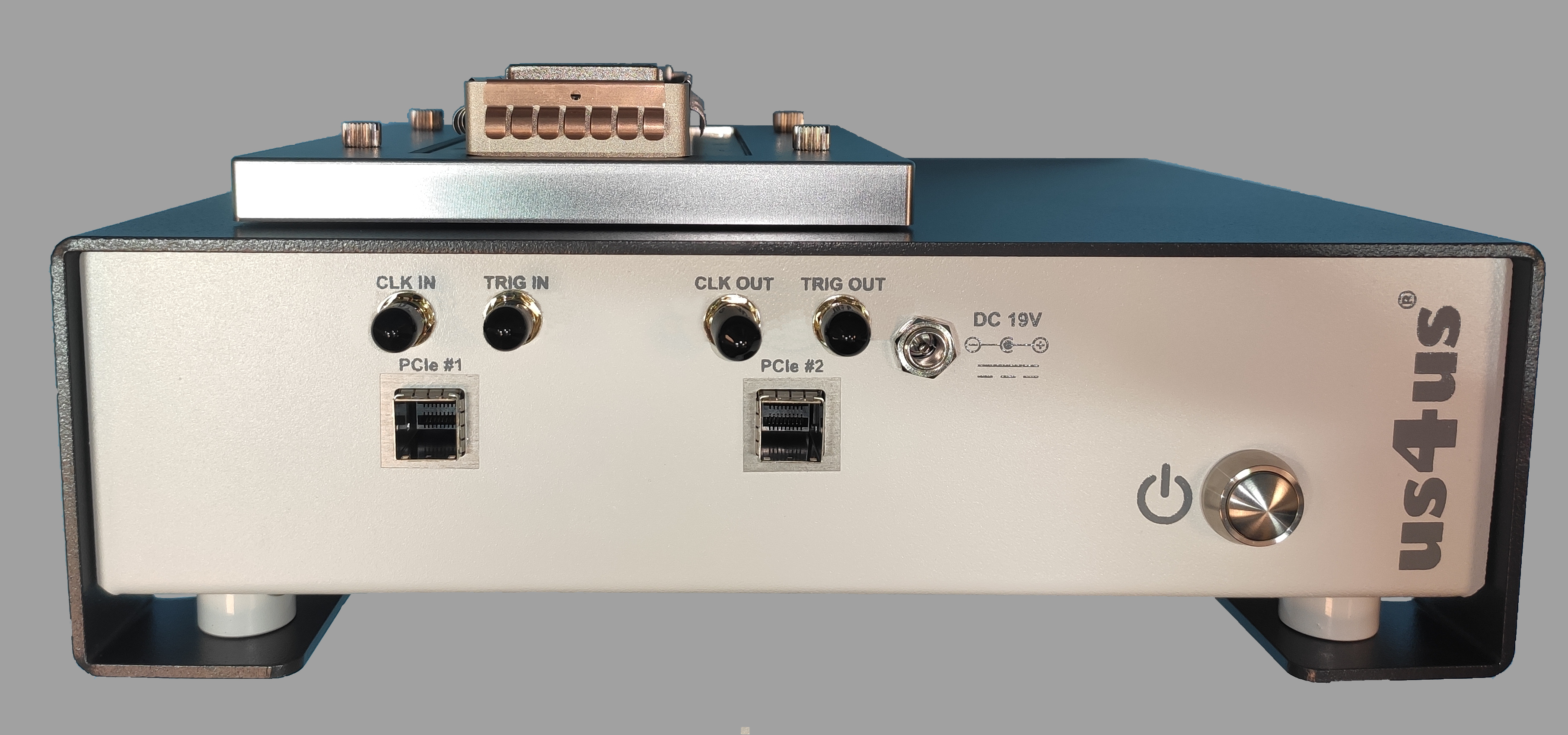
Fig. 2.3 Back-side of the us4R-lite™, Model: RL-2024-PCIe device with PCIe interface.
PLEASE NOTE: External devices should be connected via cables no longer than 3m.
2.5. Power adapter and ON/OFF button
The power adapter connection is shown in the picture below (Fig. 2.4).
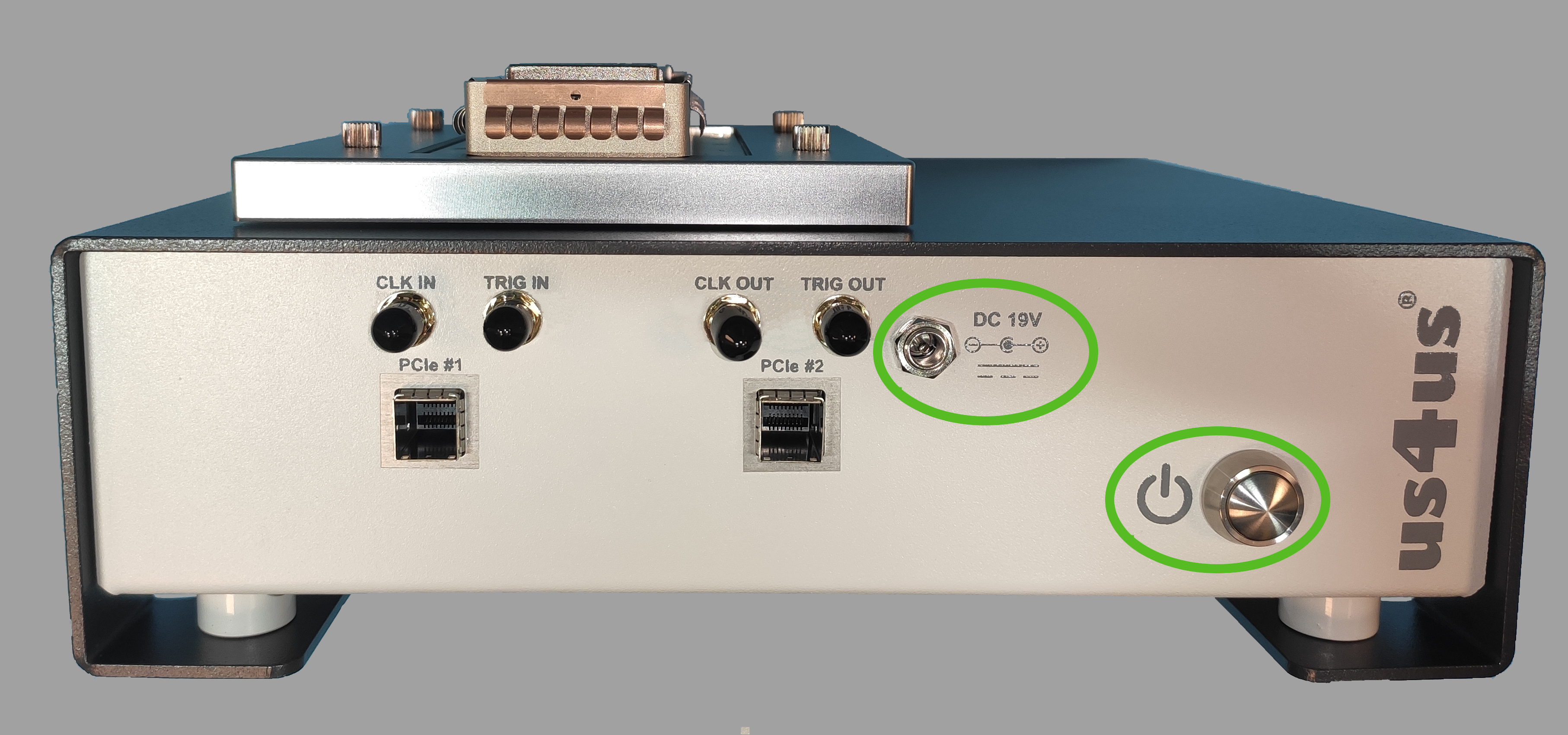
Fig. 2.4 The us4R-lite™, model RL-2024-PCIe DC power connector and ON/OFF button.
2.6. Connecting ultrasound probes
Ultrasound probes require special care, as they can be easily damaged by any impact. The damaged transducers could have internal element short-circuits or open-circuits, both can cause malfunction or even breakdown of the us4R-lite™ transmit circuitry. Therefore, it is vital that the probes are handled with extreme care and defective probes are never connected to the system.
Probes should be disconnected from the device during the transport.
The ultrasound probe connector is situated on the top of the device.
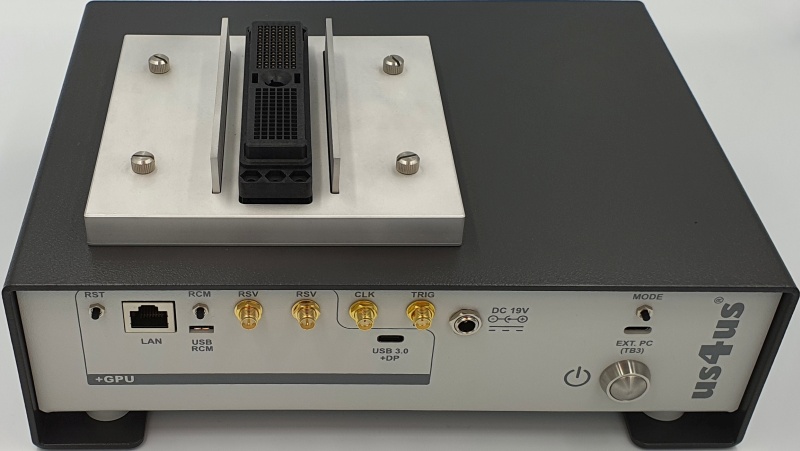
Fig. 2.5 Top-view of the us4R-lite™ model RL_2020 with probe connector (linear/phase/convex/RCA).
A video instruction on how to change the probe adapter is available on our YouTube channel:
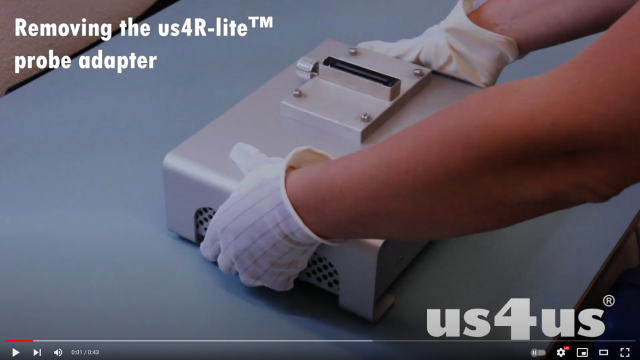
PLEASE NOTE: Only a probe prepared and configured for use with the us4R-lite™ can be connected to the device. For assistance, please contact the Manufacturer.
Caution
Using non-compatible or broken probes can result in damage to the transmission section of the us4R-lite™! Such damages are NOT covered under the warranty!
2.7. Connecting the host PC & display
The us4R-lite™ requires an external host PC (desktop / notebook) with a display to function correctly. The only way to connect the us4R-lite™ device to the PC is through the PCIe or Thunderbolt cables (depending on the model).
So far, it is required that the host PC be equipped with an NVIDIA GPU with CUDA Toolkit installed and, for PCIe connections, an available PCIe gen3 x16 (or x8, but open-ended) slot to install the provided PCIe host adapter card.
Safety and compatibility requirements: To ensure safe and compliant operation, the following requirements apply when connecting the us4R-lite™ to an external PC:
the host PC must provide at least the same level of protection against electric shock as the us4R-lite™ system, i.e., Class II equipment (with double or reinforced insulation) according to IEC 61010-1,
Class I (with protective earth connection) according to IEC 61010-1.
2.7.1. PCIe interface
PCIe ports & PCIe cables
The us4R-lite™ models: RL_2021 and RL-2024-PCIe are equipped with 2x PCIe gen3 x4 ports on the back of the device.
The PCIe ports are intended for connecting the system to an external host PC using the provided PCIe cables (Fig. 2.6).
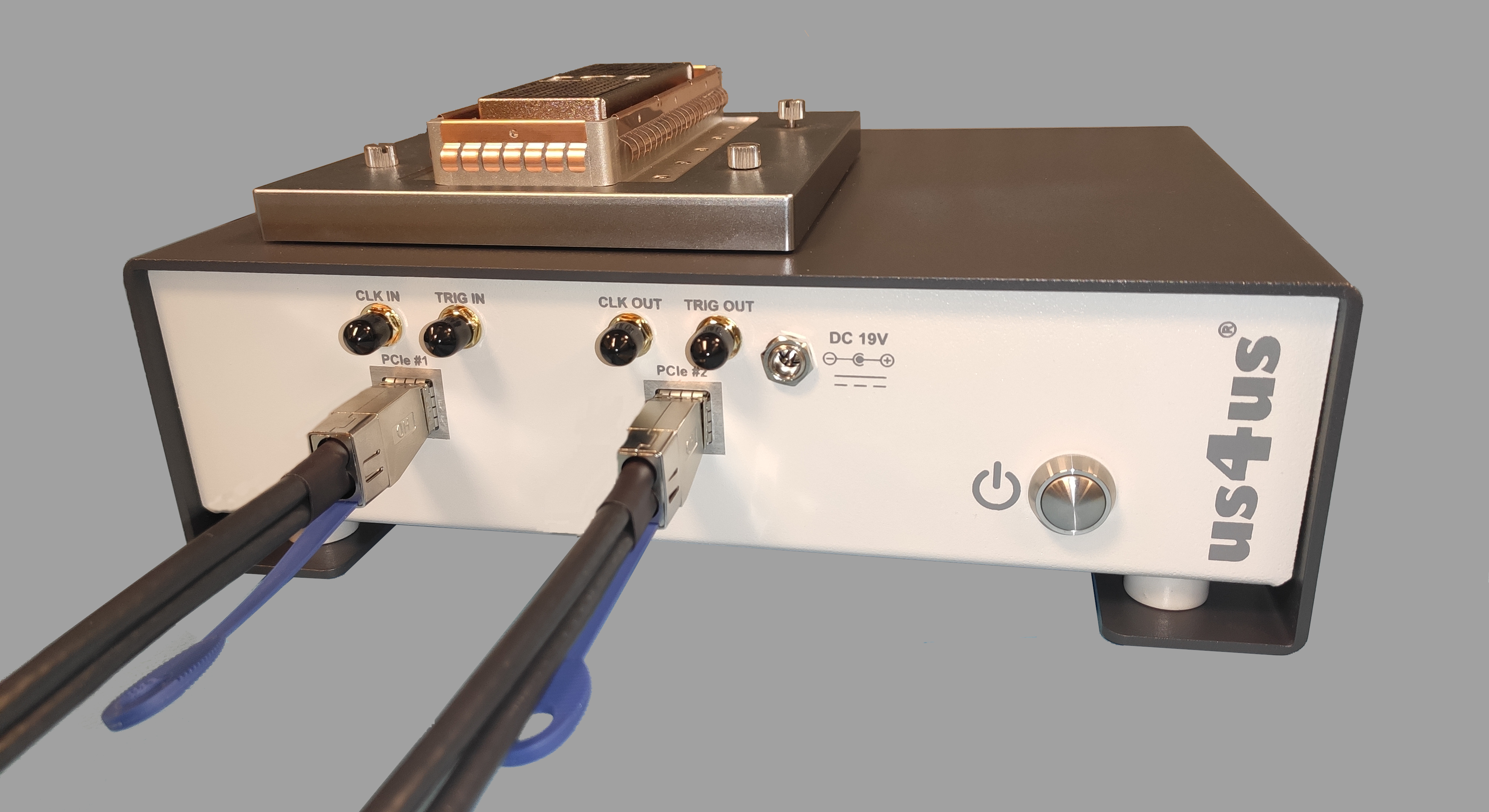
Fig. 2.6 Back panel of the us4R-lite™ showing the PCIe connectors and properly connected cabling.
When connecting the PCIe cables you should hear/feel “a click” to be sure that the connector is latched properly (Fig. 2.6).
PCIe adapter card
The us4R-lite™ models equiped with the PCIe interface are also provided with compatible PCIe host adapter card that should be properly installed in the host PC controller before the first use.
The host PC must have an empty PCIe gen3 x16 (or x8, but open-ended) slot to install the provided PCIe host adapter card (Fig. 2.7).
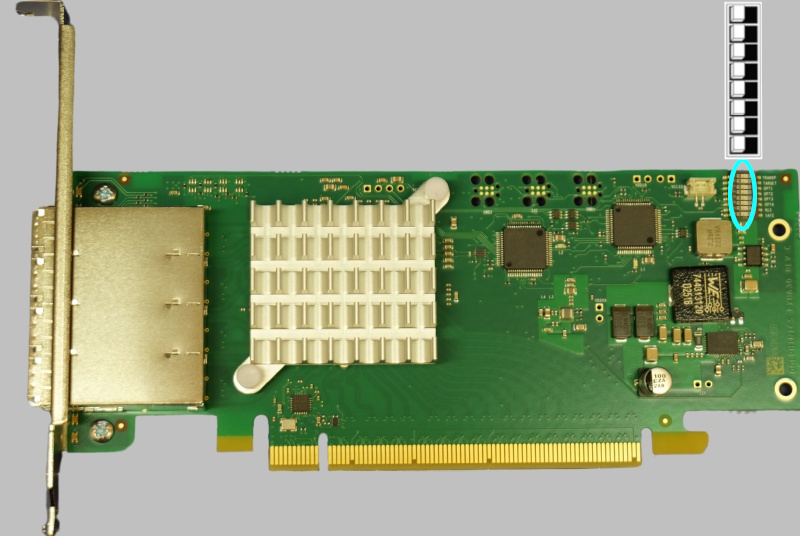
Fig. 2.7 Provided PCIe host adapter card for the us4R-lite-PCIe.
To proper install the PXH832 PCIe adapter cards follow the instructions available here. Ensure that the DIP switch configuration shown in Table 3 of the referenced document is set to Transparent Host, Four x4 Ports (all switches in the position closer to the PCIe connector.).
The proper order of the PCIe cables doesn’t matter if you configure your DIP-Switches on the PXH832 card properly!
To disconnect the PCIe cables pull the plastic tab at the bottom of the PCIe cable plug (Fig. 2.8).
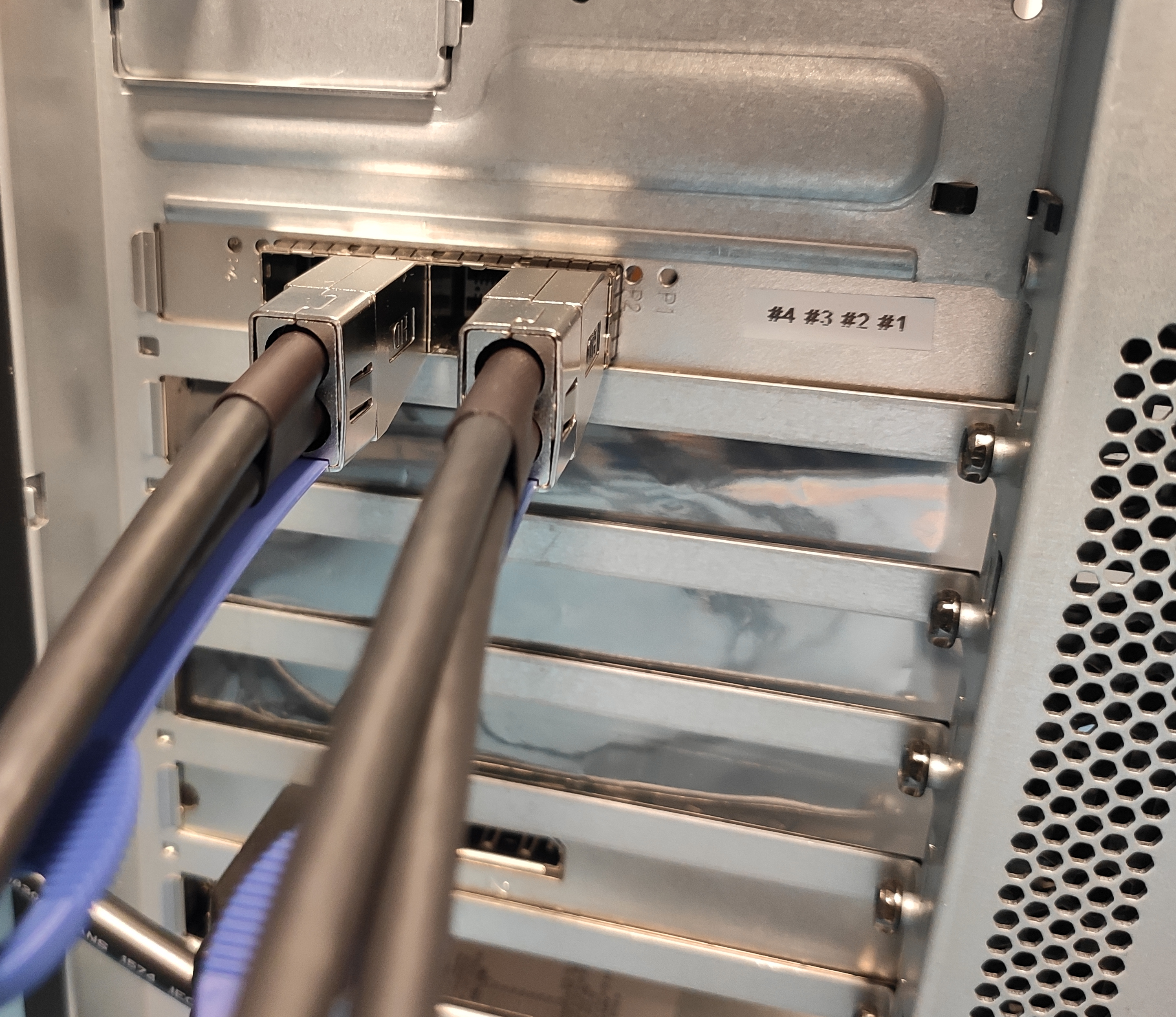
Fig. 2.8 Back of the host PC with PCIe host adapter card installed and PCIe cables connected.
2.8. Digital I/O ports
The us4R-lite™ provides four digital I/O signals in the LVTTL 3.3V standard available on the SMA-type connectors:
CLOCK IN – input of an external reference clock signal.
TRIG IN – input of an external trigger signal – can be used to synchronize transmit events with other devices/systems.
CLOCK OUT – output of an internal reference clock signal.
TRIG OUT – output of an internal trigger signal – can be used to synchronize other external devices/systems with the us4R-lite™.
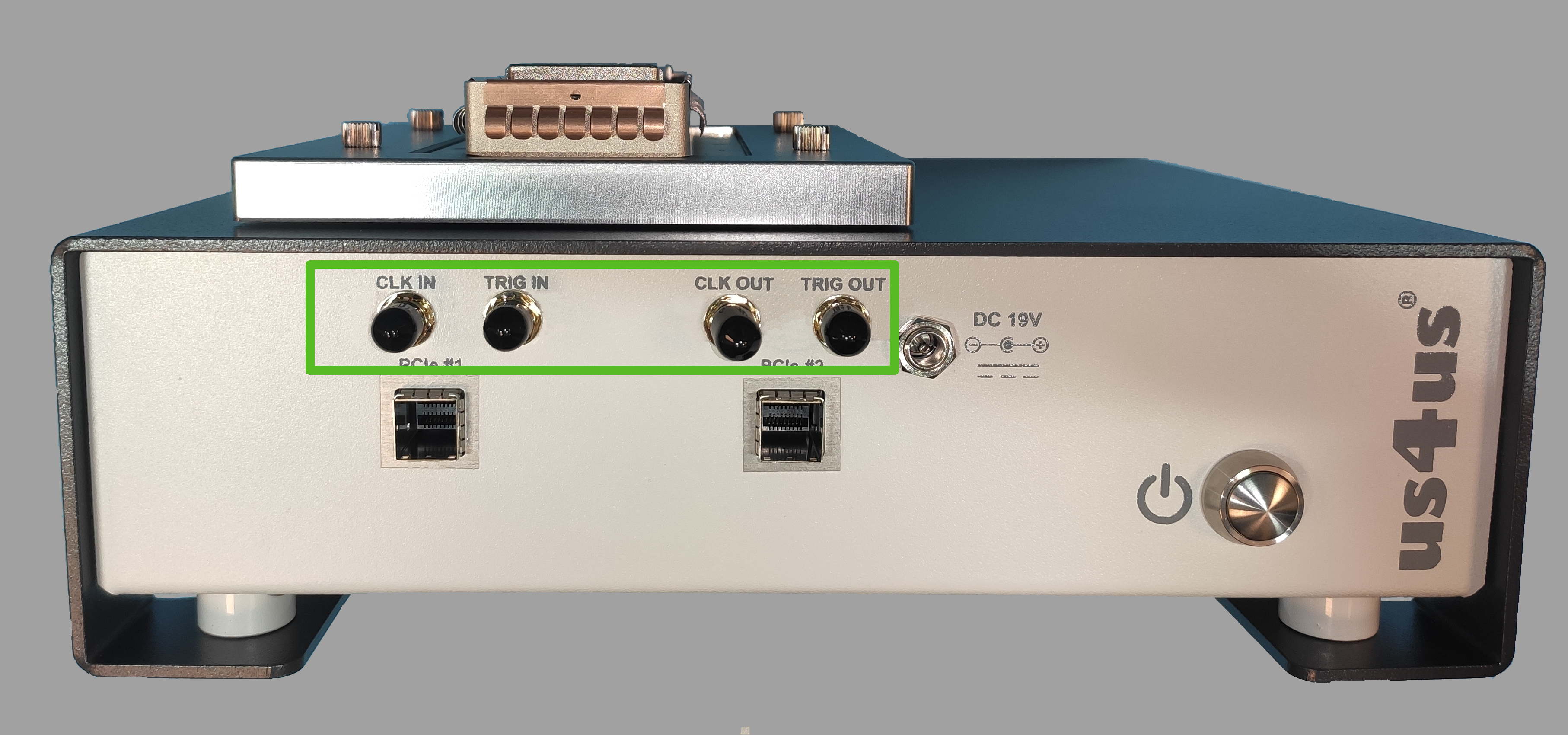
Fig. 2.9 Back panel of the us4R-lite™, model RL-2024-PCIe showing the 4x digital I/O signals
Safety note: The digital I/O signals (CLOCK IN, TRIG IN, CLOCK OUT, TRIG OUT) are classified as SELV (Safety Extra Low Voltage) circuits and operate at 3.3 V (TRIG IN, TRIG OUT AND CLK IN) and 1.8V (CLK OUT) LVCMOS logic levels. These connectors shall be connected only to equipment that provides SELV-compatible signals and meets at least the same protection against electric shock as the us4R-lite™ (minimum: Class II or Class I with protective earth). Applying voltages outside the specified 0–3.3 V range may damage the device and void compliance with IEC 61010-1.
Do not connect these ports to mains-powered circuits, industrial I/O, or non-SELV signals.